How to Make Zalgo Text for Discord: Glitchy Copy and Paste Guide
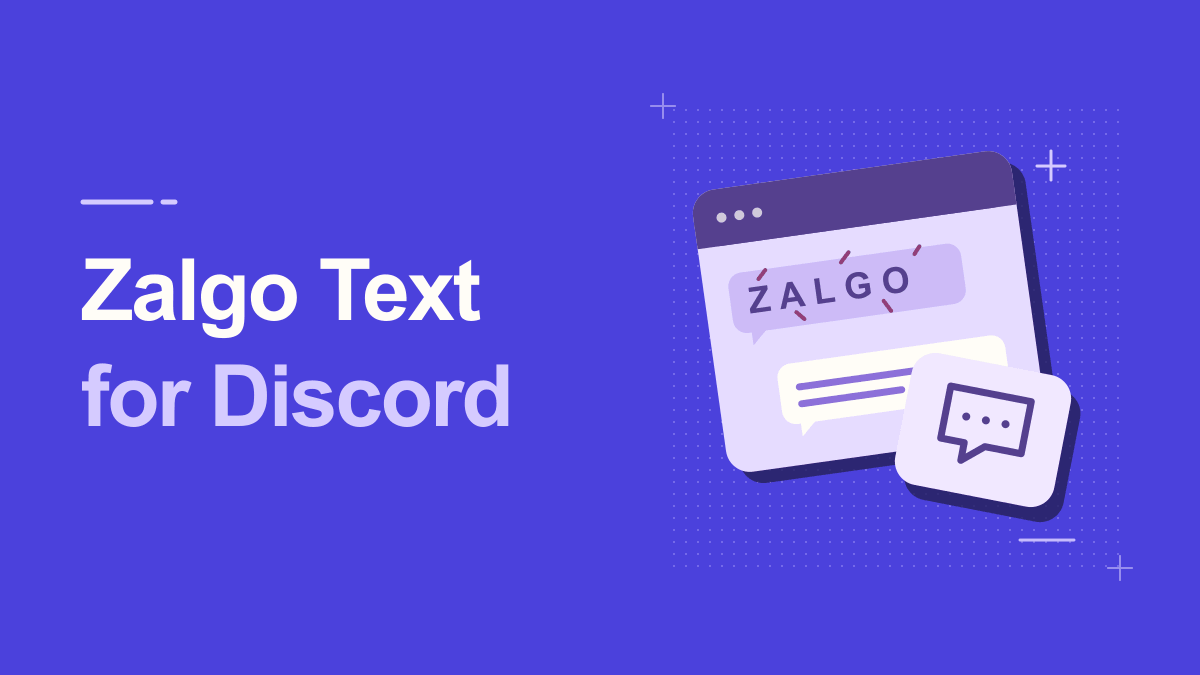
Want a Discord message that looks haunted without sending an image? Zalgo text creates that effect with marks that appear to climb above letters and fall below them. The trick is choosing a short sentence, finding a readable intensity, and checking it in the actual Discord channel before pressing Enter. This guide explains the method, the limits of Unicode styling, and several examples for themed servers and gaming conversations. It also shows when Discord's built-in Markdown is the better choice.
Understanding How To Make Zalgo Text For Discord
There are two separate layers to understand. A Zalgo generator transforms your characters into more complex Unicode sequences; Discord then renders those sequences using fonts available on the recipient's device. Discord Markdown, by contrast, formats ordinary text with syntax such as asterisks and backticks. You can use either approach, but a line of distorted Unicode is not the same as a text effect controlled by Discord itself. Start with your message's purpose: a spooky nickname, a Halloween announcement, or a one-line joke. Long paragraphs are rarely improved by heavy distortion.
Glitch and Zalgo text usually rely on combining marks, small Unicode characters that attach visually to a preceding base character. Several marks can stack above or below the same letter. They are still text, not an image or downloadable font, which explains both their convenient copy-and-paste behavior and their unpredictable appearance in different applications. Heavy stacking can also extend beyond the normal line height.
Practical Steps for How To Make Zalgo Text For Discord
1. Write a short, recognizable base message
Use words that are easy to identify, such as 'The portal is open' or 'Do not enter.' Avoid a password, link, command, or safety instruction because hidden marks may make those strings difficult to copy accurately. Keep the plain text nearby so you can compare what the conversion changed and restore it without retyping.
2. Choose light or medium Zalgo intensity
Open the free Glitch Text Generator and paste your sentence. If the interface offers controls for marks above, below, or through characters, begin with modest values. Extreme stacking can make several chat lines overlap, particularly when Discord uses compact message spacing. Select a version that suggests corruption without hiding every vowel.
3. Copy and test in a private draft
Copy the transformed string and paste it into a draft message or a channel where testing is appropriate. Verify that the sentence still communicates the joke and that Discord has not stripped characters. Test on mobile as well as desktop if your audience uses both; different fonts may position combining marks differently.
A helpful way to check this step is to pause before publishing: look at the preview at actual phone size, confirm the main words are still readable, and try a plain-text version if a platform changes the characters.
4. Publish with context rather than as a wall
Add a normal line before or after the distorted text: 'Halloween teaser:' followed by the Zalgo line is clearer than ten lines of chaotic marks. If a moderator asks you to remove it, comply; deliberately unreadable or disruptive posts can violate a server's rules even when the characters themselves are valid Unicode.
5. Save a gentler backup
Keep a second variation with fewer marks and a plain-text original. When somebody asks what the message says, you can reply quickly instead of making them decode it. This also helps if the style becomes unreadable after Discord changes its rendering or a phone displays replacement symbols.
Keep a copy of your original wording outside the generator. That makes it easy to revise the message, compare versions, or retry a simpler style when the destination does not support every symbol.
Practical Examples You Can Adapt
Halloween announcement
For a themed server, write 'Something wakes at midnight' and produce a lightly distorted variant. Pair it with the normal date and time in ordinary characters. The visual line sets the mood; the unstyled details remain reliable. This is better than distorting an event schedule that members must read precisely.
Gaming roleplay dialogue
A fictional villain can speak in one corrupted sentence while the remainder of the dialogue stays normal. Imagine a short 'I am still here' followed by an ordinary reply from another character. The contrast makes the special line feel intentional instead of looking like broken encoding in every message.
Why How To Make Zalgo Text For Discord Can Look Different
The safest default is restraint. Keep the ordinary spelling of a name or sentence somewhere visible, then apply the disturbing effect to one short phrase. Screen readers, search boxes, moderation systems, and text filters may interpret heavily decorated strings differently. If a service rejects the result, it is usually wiser to reduce the decorations or use plain text than to keep adding characters.
Marks overlap neighboring messages
Heavy accents can extend above and below the line box. Reduce intensity or shorten the phrase, rather than adding extra blank lines. You cannot force Discord's text engine to reserve more height for every combination.
Copying a username fails
Discord usernames and display names may have different character restrictions from message text. A successful paste in chat does not guarantee acceptance in a profile field. Try a simpler decorative style or plain letters when validation rejects the string.
Make the Effect Fit Your Discord Server
Different Discord communities have different expectations about decorative text. A roleplay channel may enjoy a mysterious line from a fictional character, while a help channel needs clear questions, error messages, and links that others can copy. Before posting, look at the channel description and recent messages. If nobody uses text decoration, start with a single short line. It is better to ask a moderator than to assume that any Unicode sequence is welcome merely because the application accepts it. Extreme effects can occupy extra visual space and may interrupt nearby messages on some screens.
For a themed event, prepare two versions in advance. The first is a teaser: one light Zalgo phrase with enough clean letters to recognize it. The second gives the normal event name, date, time zone, and joining instructions. This combination gives people a fun discovery moment without hiding essential details. Test both versions with a trusted member who uses a different device. If their screenshot shows clipped letters or replacement boxes, choose the gentler version. A useful effect invites people into a story; it should not make participation harder.
Practical Tips for How To Make Zalgo Text For Discord
Treat Zalgo like a sound effect in writing: short, surprising, and placed where the reader is ready for it. Compose the message normally first; make one line eerie; then copy it back into Discord with a description for anyone who cannot read the distortion. For accessibility, provide the ordinary sentence nearby. If your server has strict spam or formatting rules, seek permission before posting unusual effects in shared channels.
Testing should happen in the destination app, not only in a generator preview. Copy a short sample, paste it into a draft, look for clipped marks or missing boxes, and compare the rendering on a second device when possible. Delete the draft if readability is poor. A visually impressive preview does not guarantee that your friends will see precisely the same marks.
Frequently Asked Questions
Where should I put a Zalgo joke when a Discord post also includes a command?
Keep the command in its own plain-text block so readers can copy it exactly. Put the Zalgo joke on a separate line. A decorative mark inside the command can change what the reader actually pastes.
How can I make a Zalgo roleplay post easy to identify as dialogue?
Put the character's name in ordinary text on its own line, then style a short line of dialogue beneath it. Readers can tell who is speaking even when they skim the thread.
How can I quote a Zalgo message without repeating the distortion?
Write the words in ordinary characters and label the result as a transcription. If part of the original is unreadable, note the gap rather than guessing what the person wrote.
Try It Yourself
Once you know the outcome you want, open the Glitch tool, enter a short sample, and adjust the result until it remains useful in its destination. For a related approach, read this companion guide. Try the simplest version first, then add decoration only where it improves the message.